Select Render Walk → Rooms from the side menu and click the Edit button on the desired room.

Go to tab Content / Annotation and add annotations which will be visible in the room.
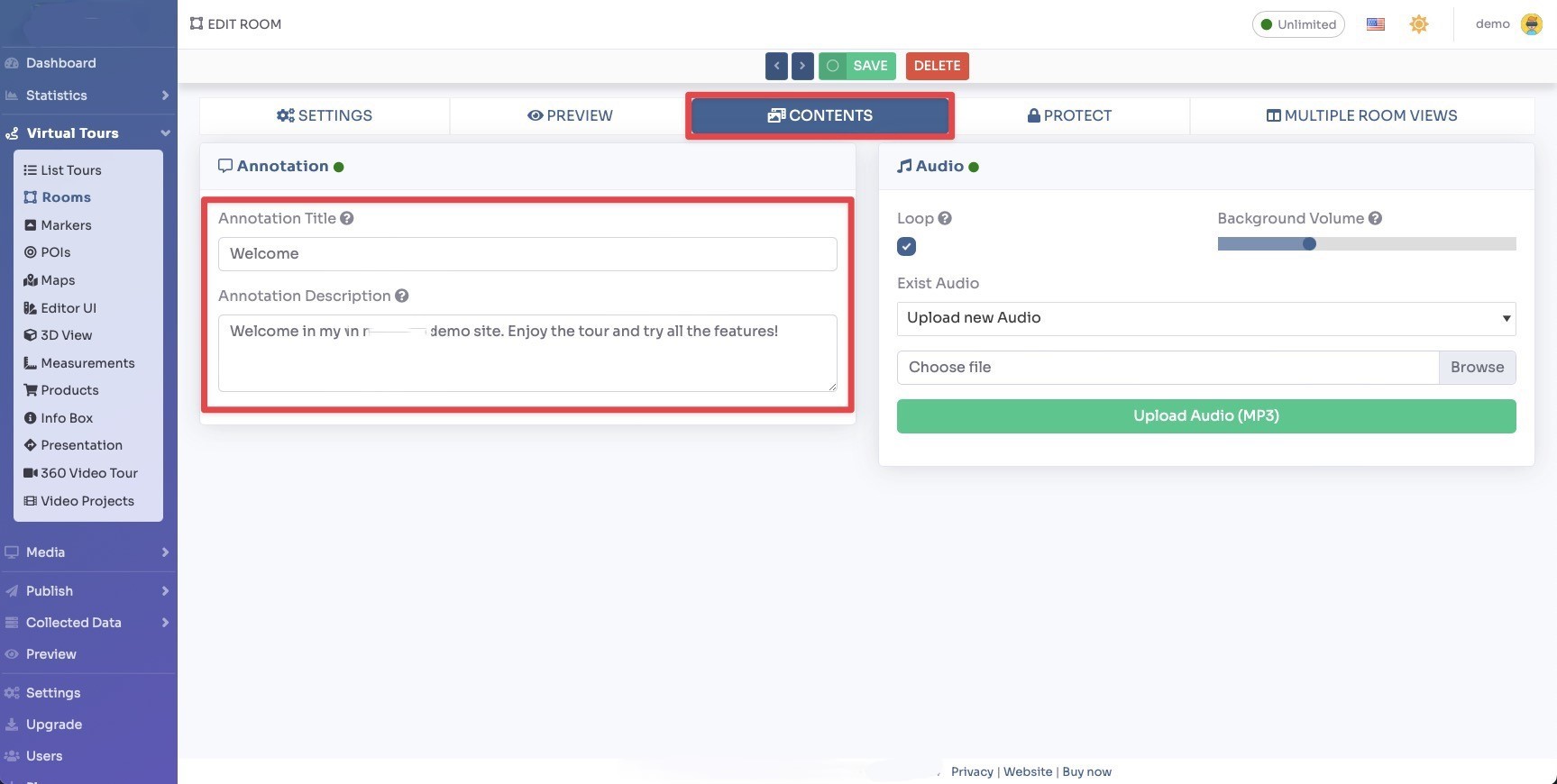
Click Save on top of the page.
You can adjust the annotations settings inside the Editor UI, like the position and style.
Select Render walk -> Editor UI from the side menu. Click on the Annotation box.
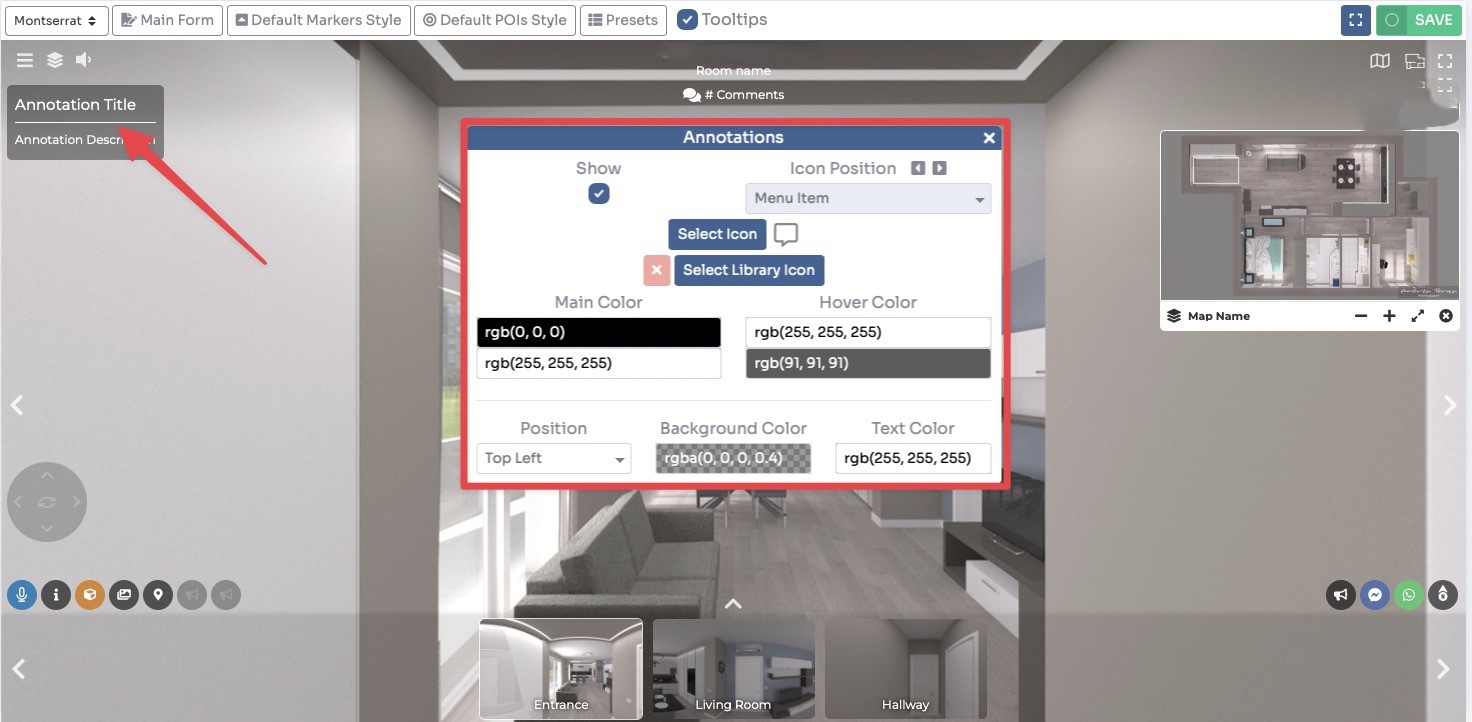
Click
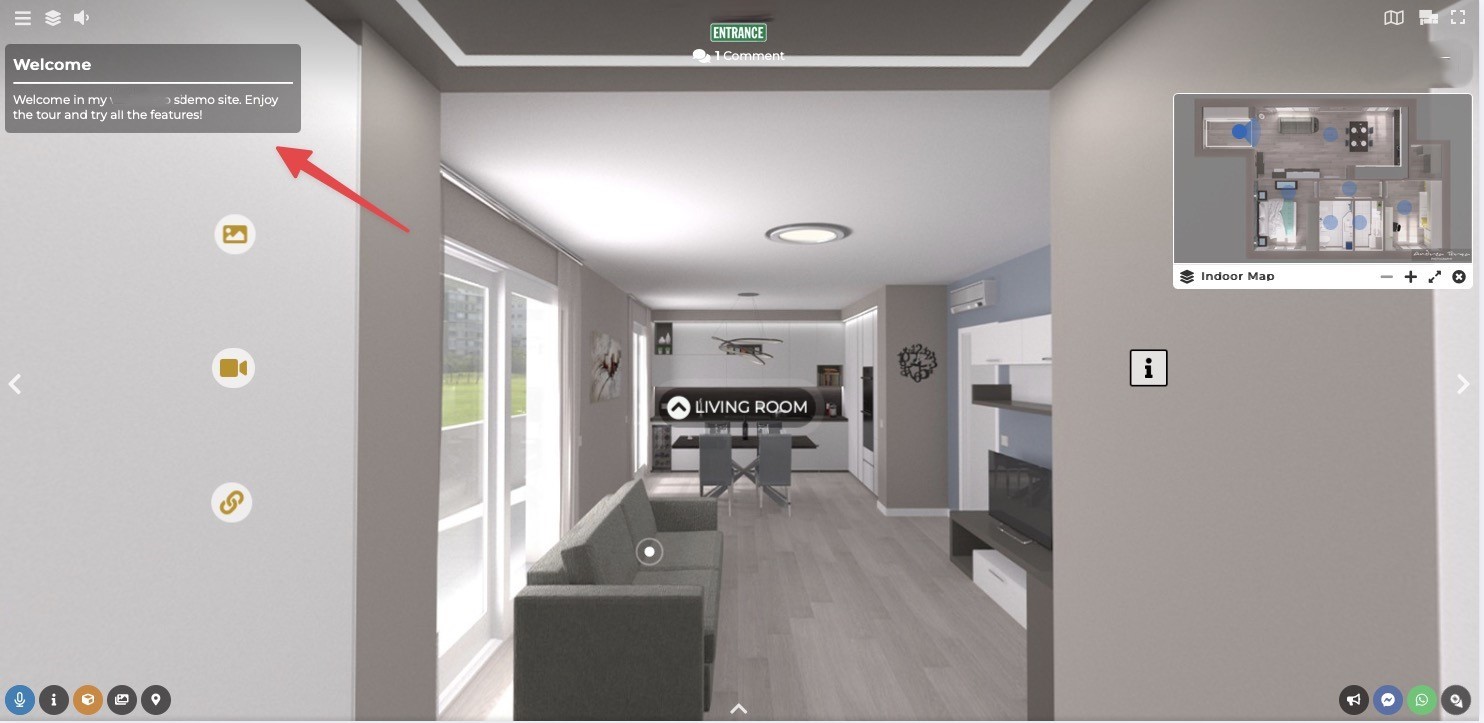
This is an example of the end result.