By default when you create a new room automatically you can reuse panoramas loaded in other tours.
The administrator can set some panoramas as “public” to be reused by everyone.
Go to Rooms and click on “+” button to create a new one.
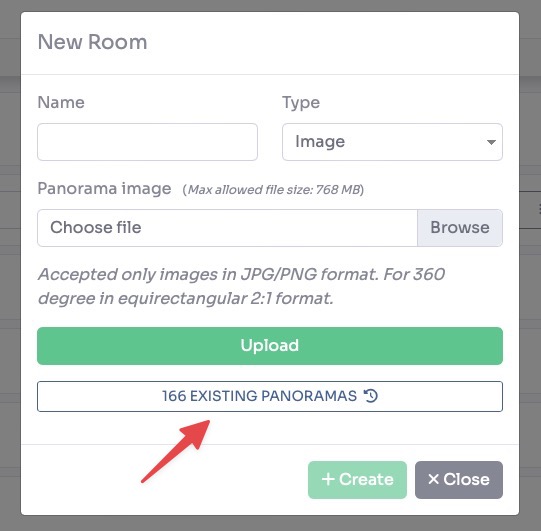
Click on “Existing Panoramas” button.
A list of all your panoramas will be shown, now click on the button at the top right of the desired panoramas to make them public.
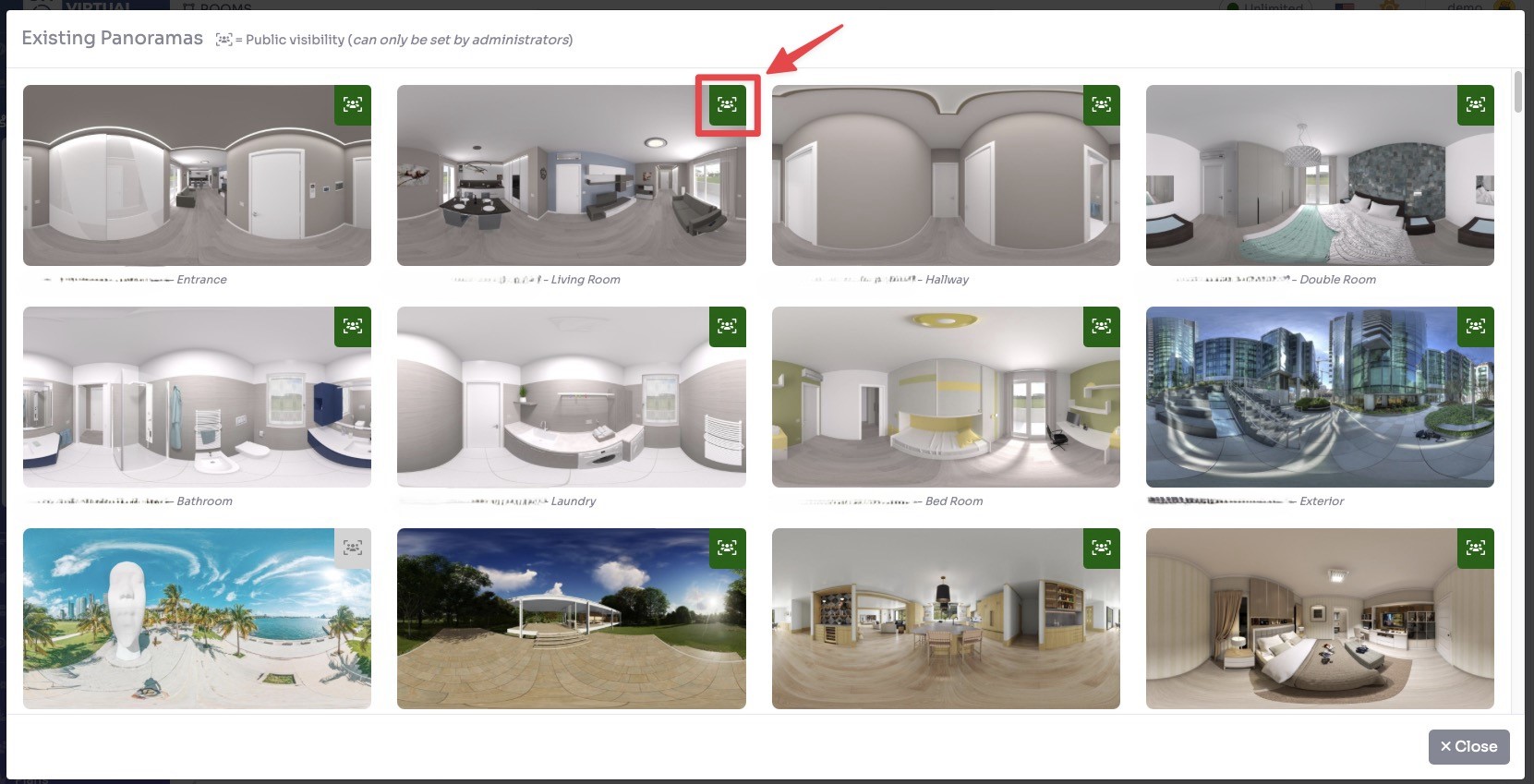
Now other users when create new rooms can select these panoramas from their “Existing Panoramas” section.