You have the option to include your company logo in every virtual tour you create. Adding your logo helps to brand the virtual tour and promote your business or organization. The logo can be placed within the virtual tour interface to ensure visibility and recognition.
Select Render Walk → List Tours from the side menu and click the Edit button on the desired tour.

Go to tab Content / Logo.
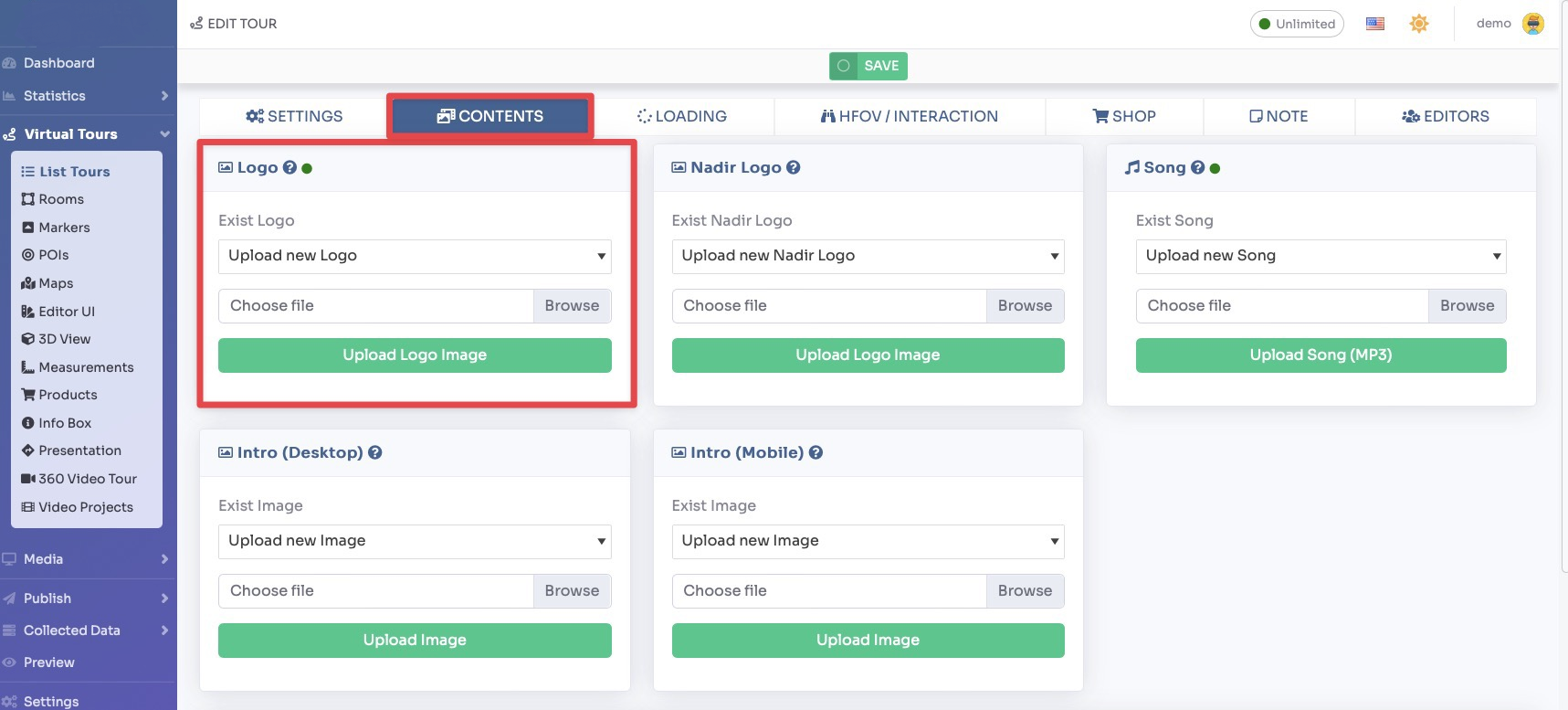
Upload the image of the logo and you can optionally choose to add a hyperlink to it.

Click Save on top of the page.
You can adjust the size and position of the logo inside the Editor UI.
Select Render Walk → Editor UI from the side menu. Click on the Logo box.
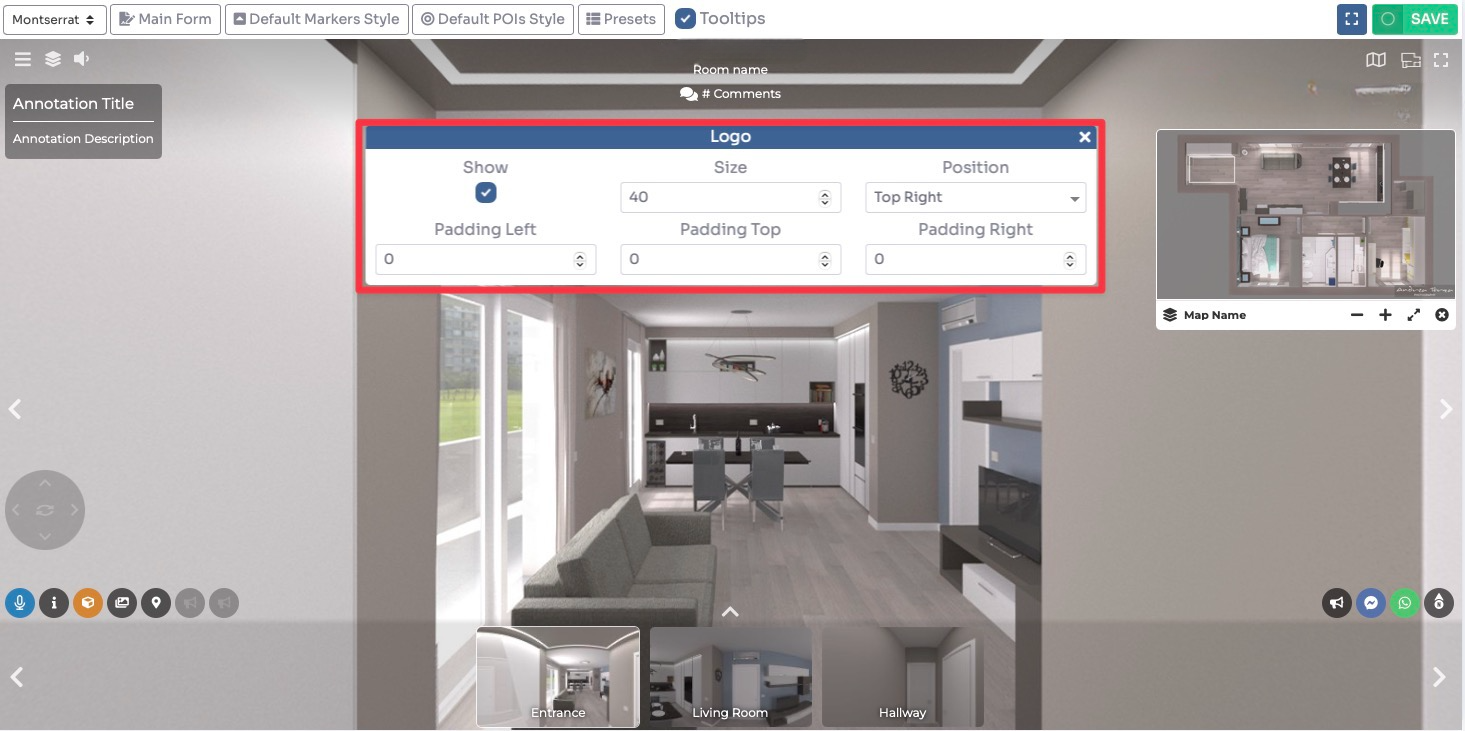
Click Save on top right corner of the page.