Select Render Walk → Measurements from the side menu.
Select the room you want to add measurements to and click the "+" button on the top right.
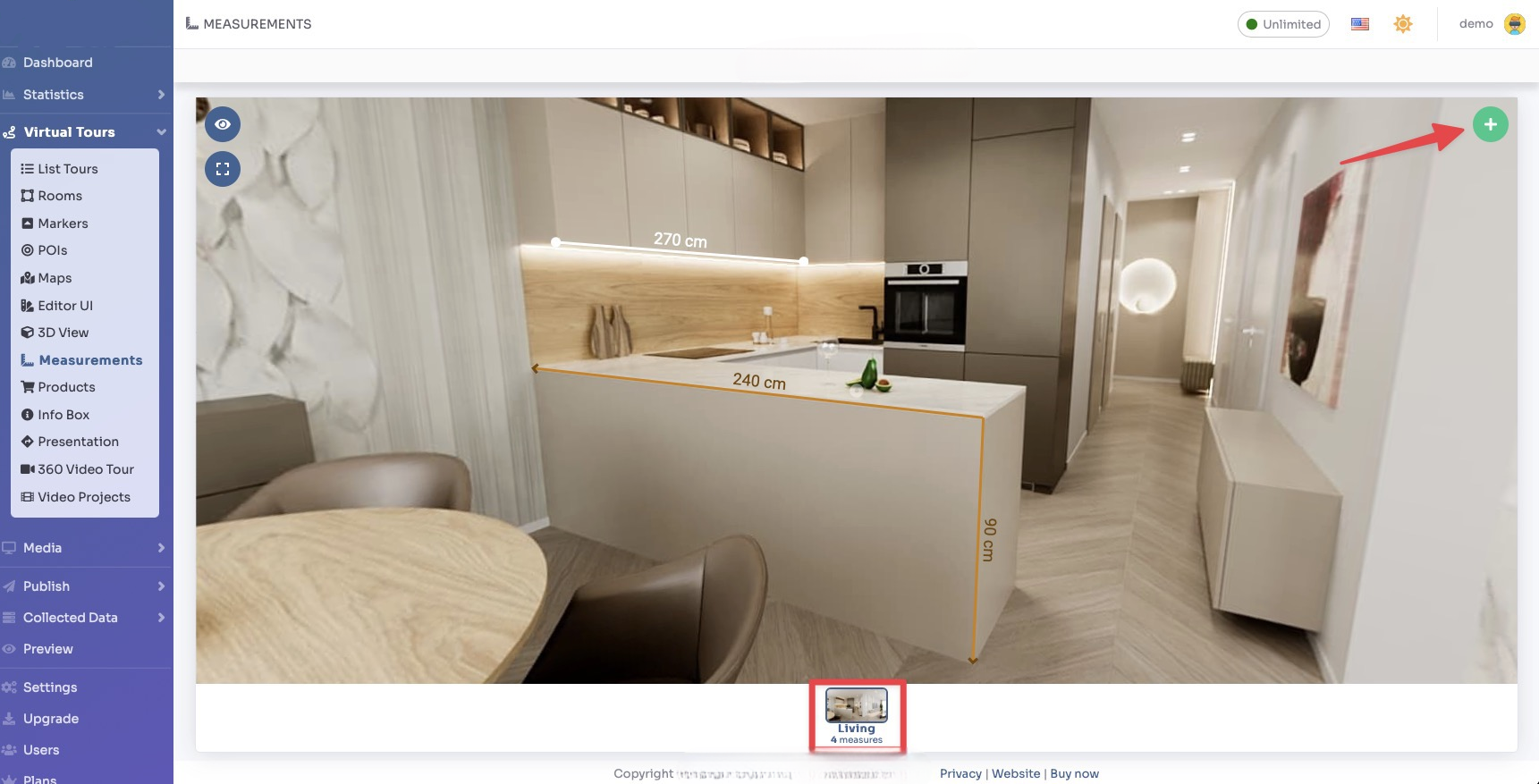
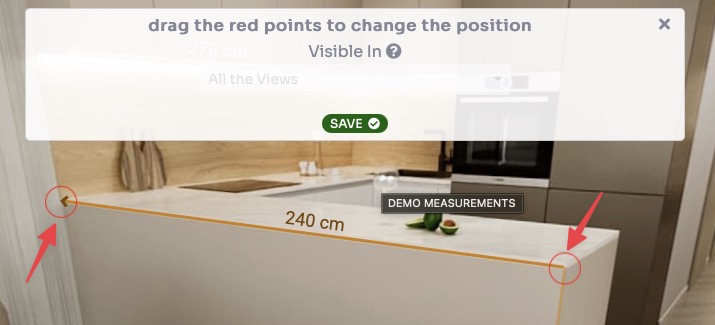
Now drag the points to indicate the measured distance, then click Save.
Now you can modify the appearance of the drawn measurement, add a label, and change the size, shape and color of each point and line.
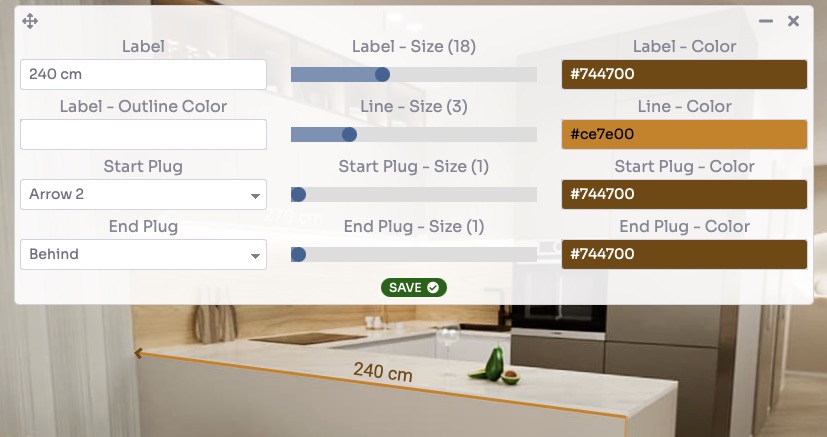
Click Save.
You can view a live preview of measurements in this demo.