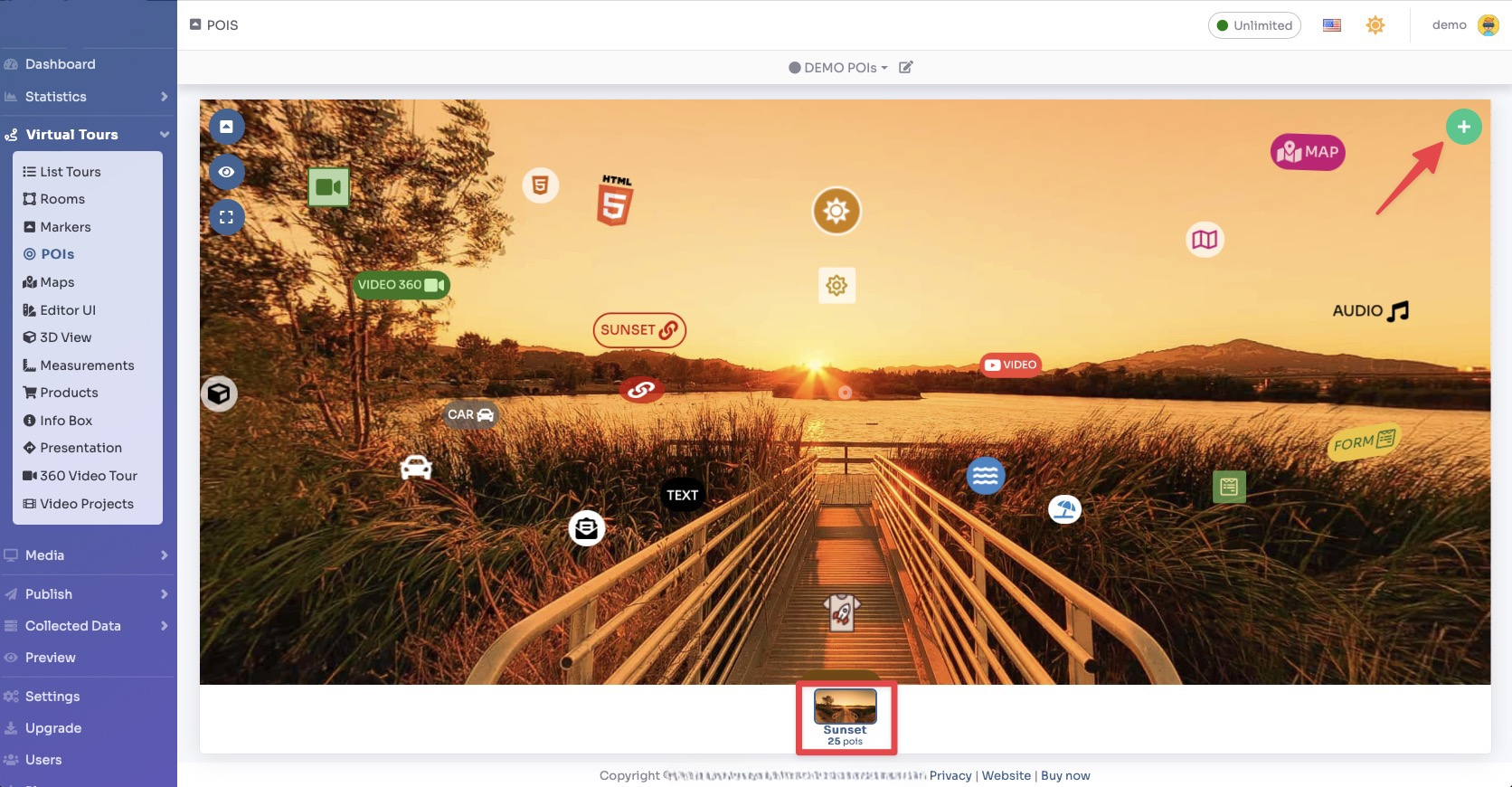
Select Render Walk → POIs from the side menu.
Select the room you want to add a selection area to and click the "+" button on the top right.
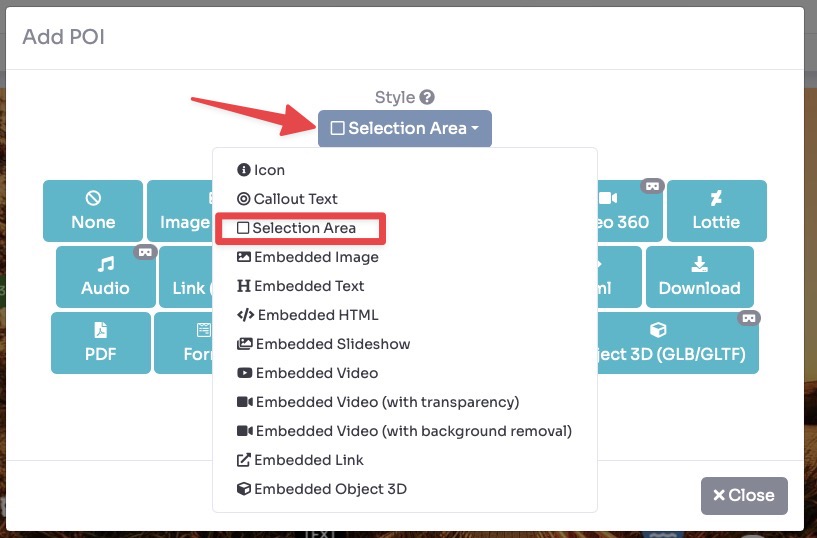
A pop-up opens and there select the style of POI as Selection Area.
After selecting the style you can click the desired content button to create the POI. None means that the POI is not clickable.
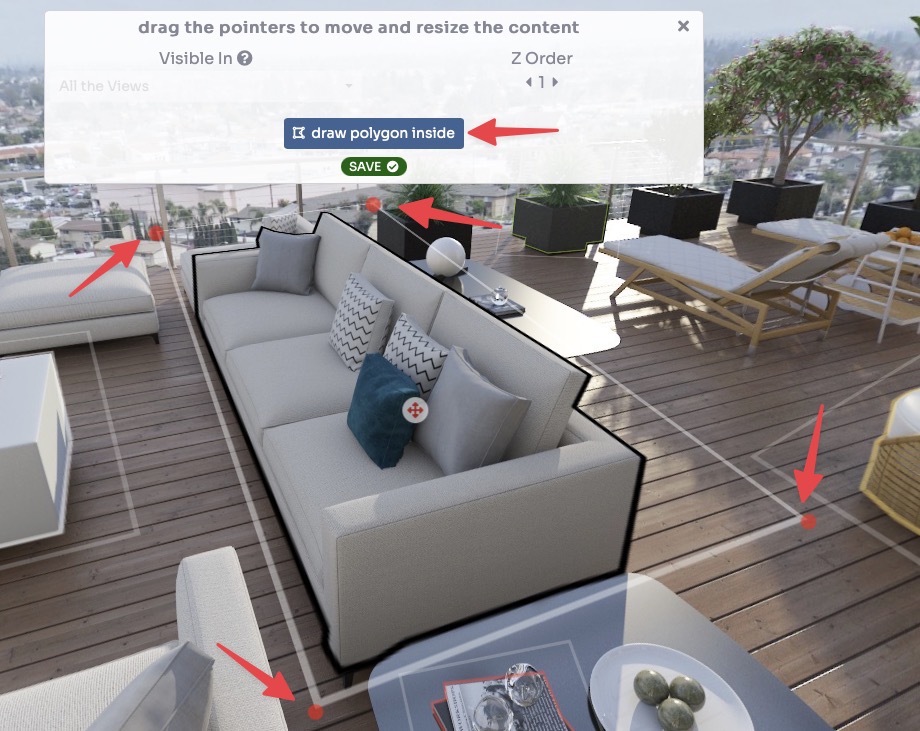
A rectangle will be added: you can drag the 4 pointers to frame the outer area.
Then click on "draw polygon inside" to draw the outline of your object to be highlighted.
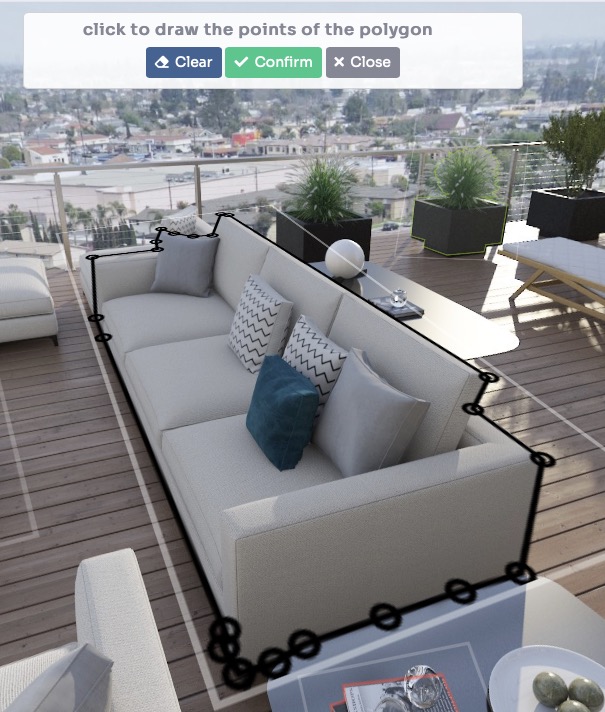
Click multiple times to draw the shape and when you are done click on Confirm.
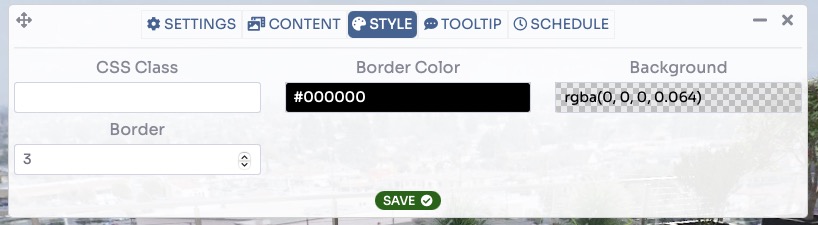
You can customize the highlighting by changing the background, line color, and border thickness.
Click on Save.